Local-first An AI software team that lives on your Kanban board

Move a card. AI agents ship it. You sign off.

Enlsoft AI turns your Kanban board into an AI development pipeline. Drag a card and agents implement, code review and test the work in its own git branch, inside an OS sandbox. Nothing merges until a person says so.

  • Runs on your machine
  • Uses your Claude Code login
  • One branch per card
  • A human approves every merge
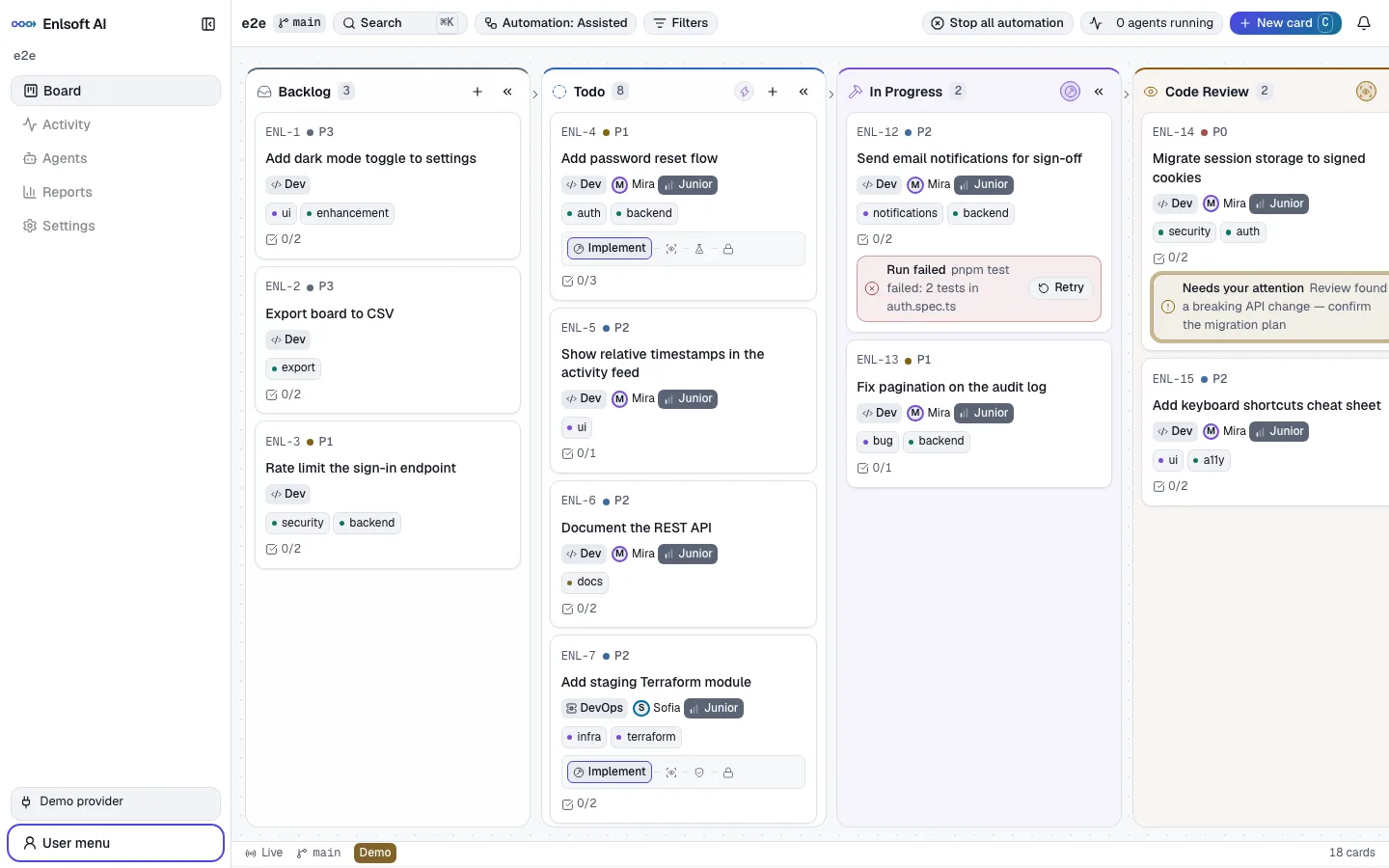
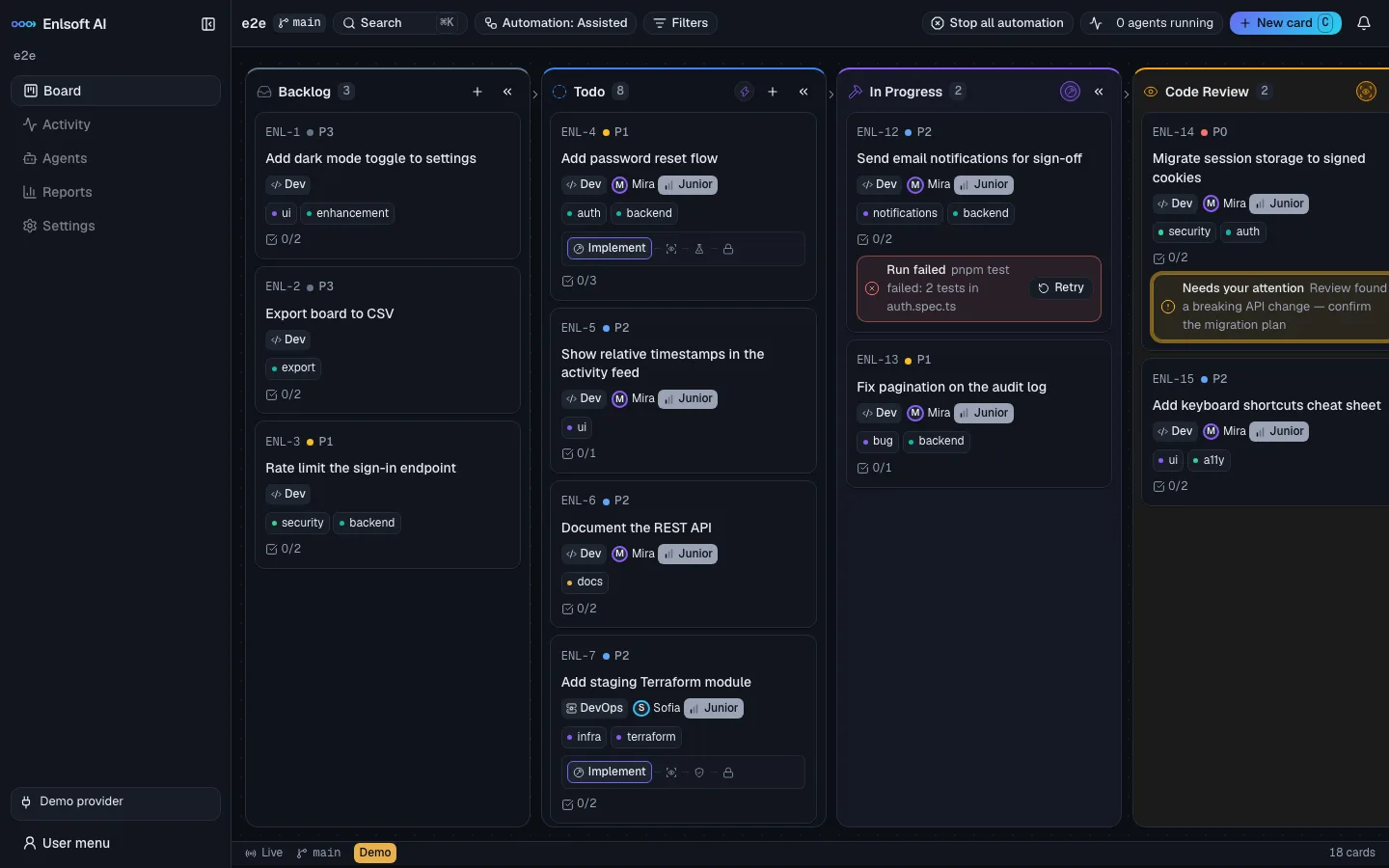
Enlsoft AI Kanban board in dark mode with Backlog, Todo, In Progress, Code Review and QA columns, cards assigned to AI developers with Junior tier badges, and an agent running on one card.
The pipeline

Every column is a step. Every step has an owner.

Agents do the work between Todo and Sign Off. People decide what gets built and what gets merged.

  1. Backlog

    Ideas, bugs and requests, with acceptance criteria.

    You
  2. Todo

    Prioritised, typed and assigned to an AI team member.

    You
  3. In Progress

    The implementation agent writes code and commits it on the card's branch.

    AI agent
  4. Code Review

    A review agent reads the real diff and approves or sends it back.

    AI agent
  5. QA

    A QA agent checks each acceptance criterion and returns a verdict.

    AI agent
  6. Sign Off

    Readiness, risk review and the full change, ready for you.

    You
  7. Done

    Press and hold. The branch merges or the pull request lands.

    You

A rejection in review or QA sends the card back to implementation with the feedback attached, automatically.

How it works

From a card to merged code, with you in control

Plan the way you already do. Enlsoft AI handles the implementation, review and testing loop, and shows you everything it did.

01 · PLAN

Write the card. Drag it to In Progress.

Give the card a title, a description and acceptance criteria. Enlsoft AI estimates its complexity and recommends the right AI team member. Pick Manual, Assisted or Auto mode, then move it.

  • Dev, QA and DevOps card types, with a Validation column for infrastructure work
  • Complexity scoring and routing to the right tier
  • Drag and drop, keyboard moves, or ⌘K from anywhere
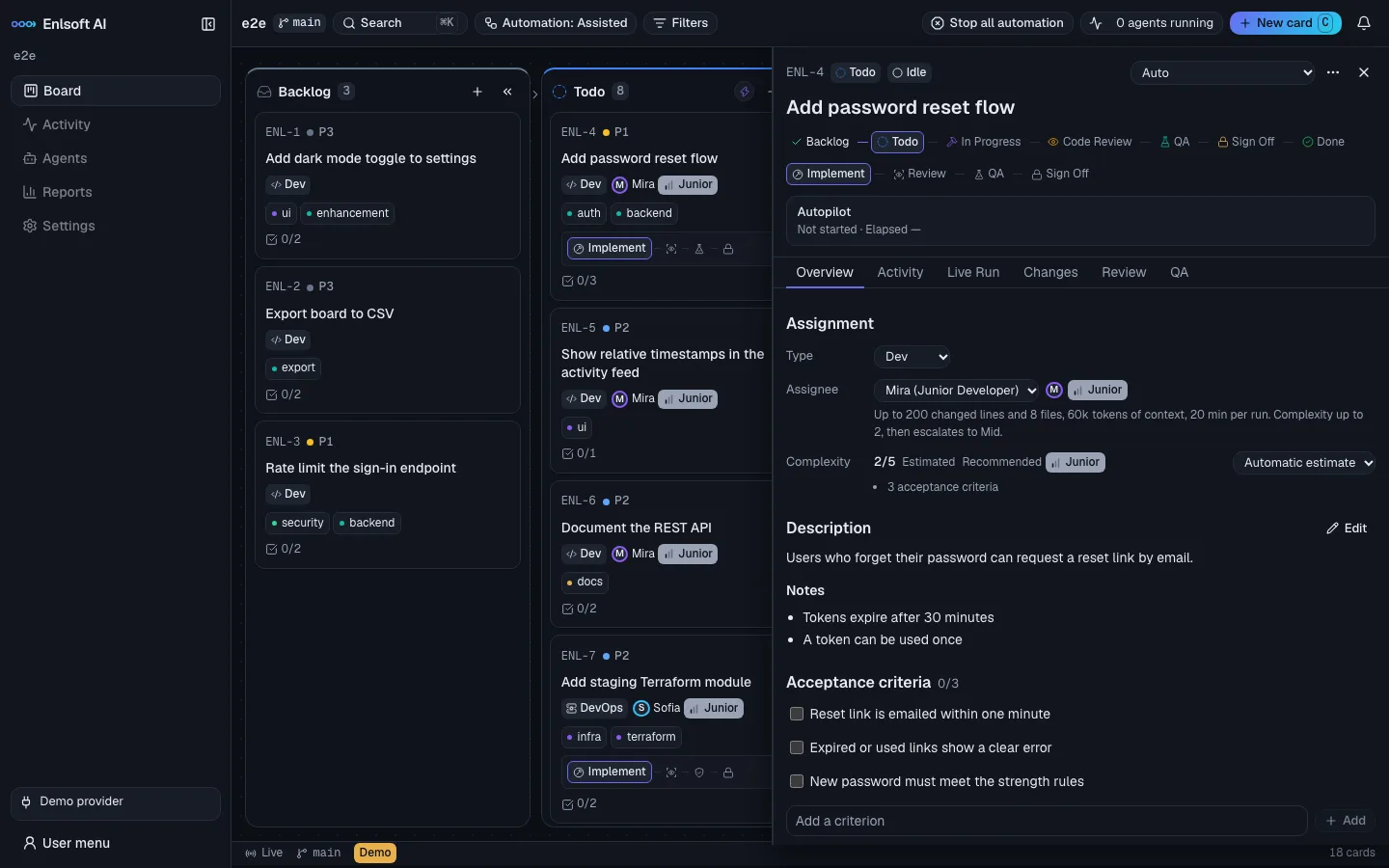
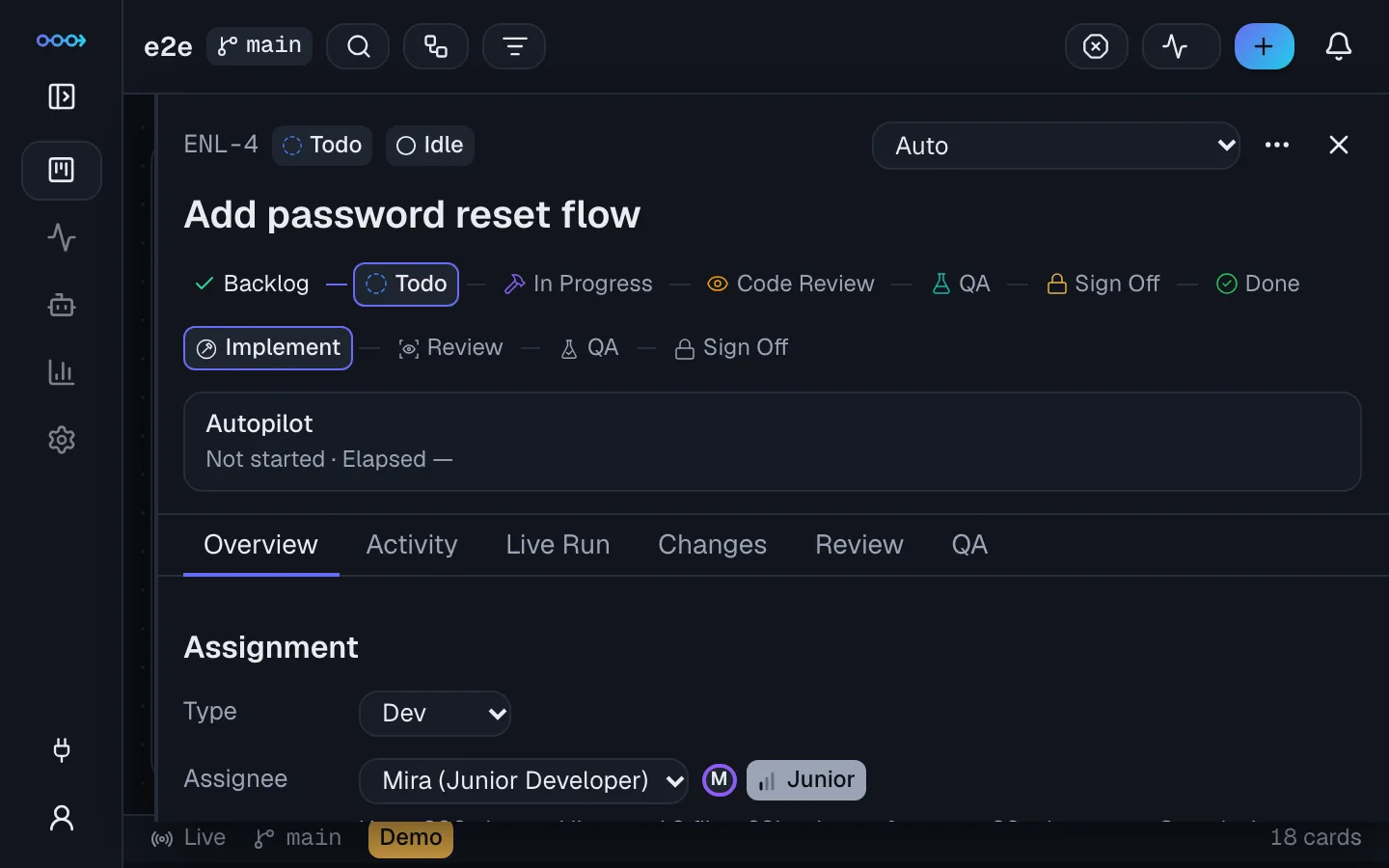
Card drawer for 'Add password reset flow' showing its stage path, assignment to a Junior Developer, complexity 2 of 5, description, notes and acceptance criteria.
02 · WATCH

Agents work live, in their own branch

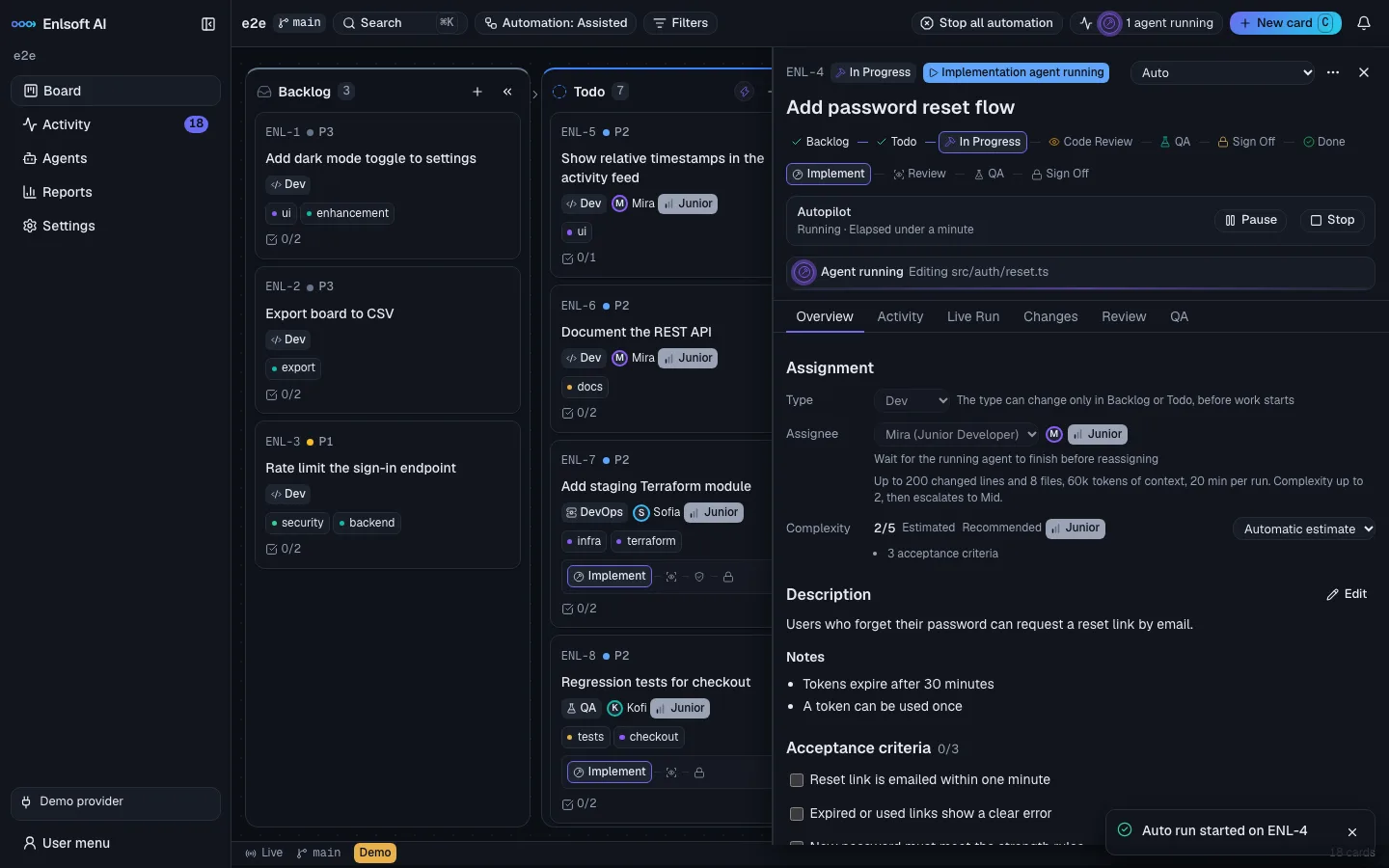
Each card gets its own git worktree and branch. You see what the agent is doing as it happens: the file it is editing, the commands it runs, how long it has been going. Pause or stop it at any moment.

  • Live Run stream with Cancel and Retry
  • Auto mode chains implementation, review and QA up to Sign Off
  • Restart-safe: cards that were mid-run are recovered
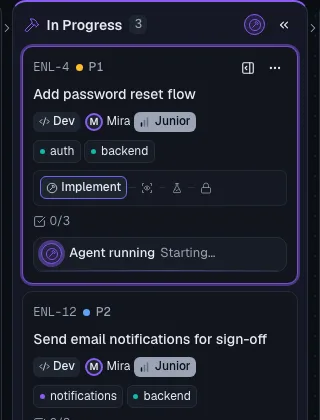
An implementation agent running on a card: the drawer shows Autopilot running with Pause and Stop buttons and the live line 'Editing src/auth/reset.ts'.
03 · CATCH UP

Know exactly what needs you

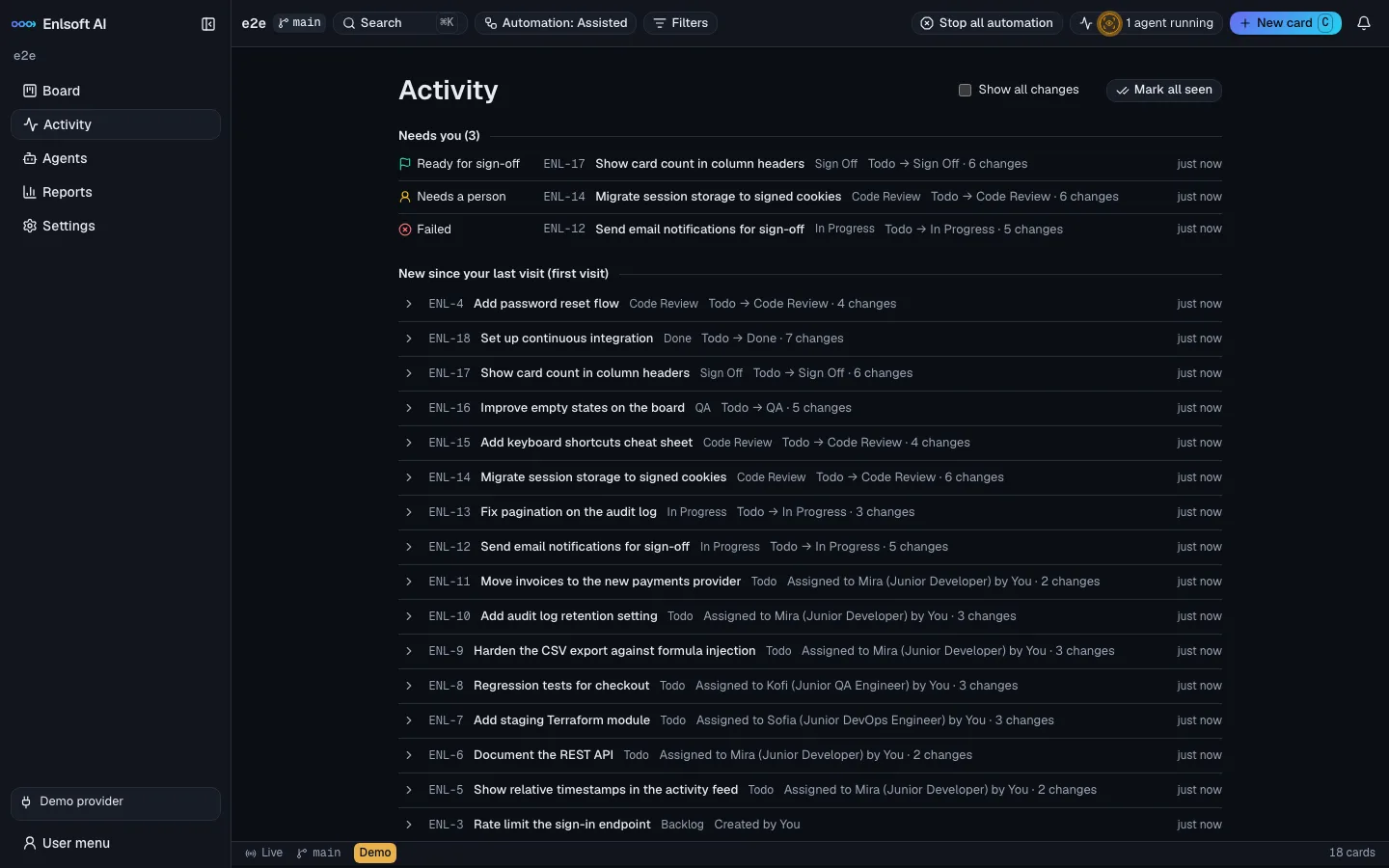
The Activity page puts cards ready for sign-off, cards that need a person and failed runs at the top, then every change since your last visit. Each card carries the evidence: the real diff, the review verdict and the QA verdict for every acceptance criterion.

  • Changes, Review and QA tabs on every card
  • A post-run gate checks the real change against the team member's limits
  • Risk review flags sensitive paths and oversized diffs
Activity page listing what needs you: a card ready for sign-off, one needing a person and one failed, followed by every card that changed since your last visit.
04 · SIGN OFF

You press and hold. Then it merges.

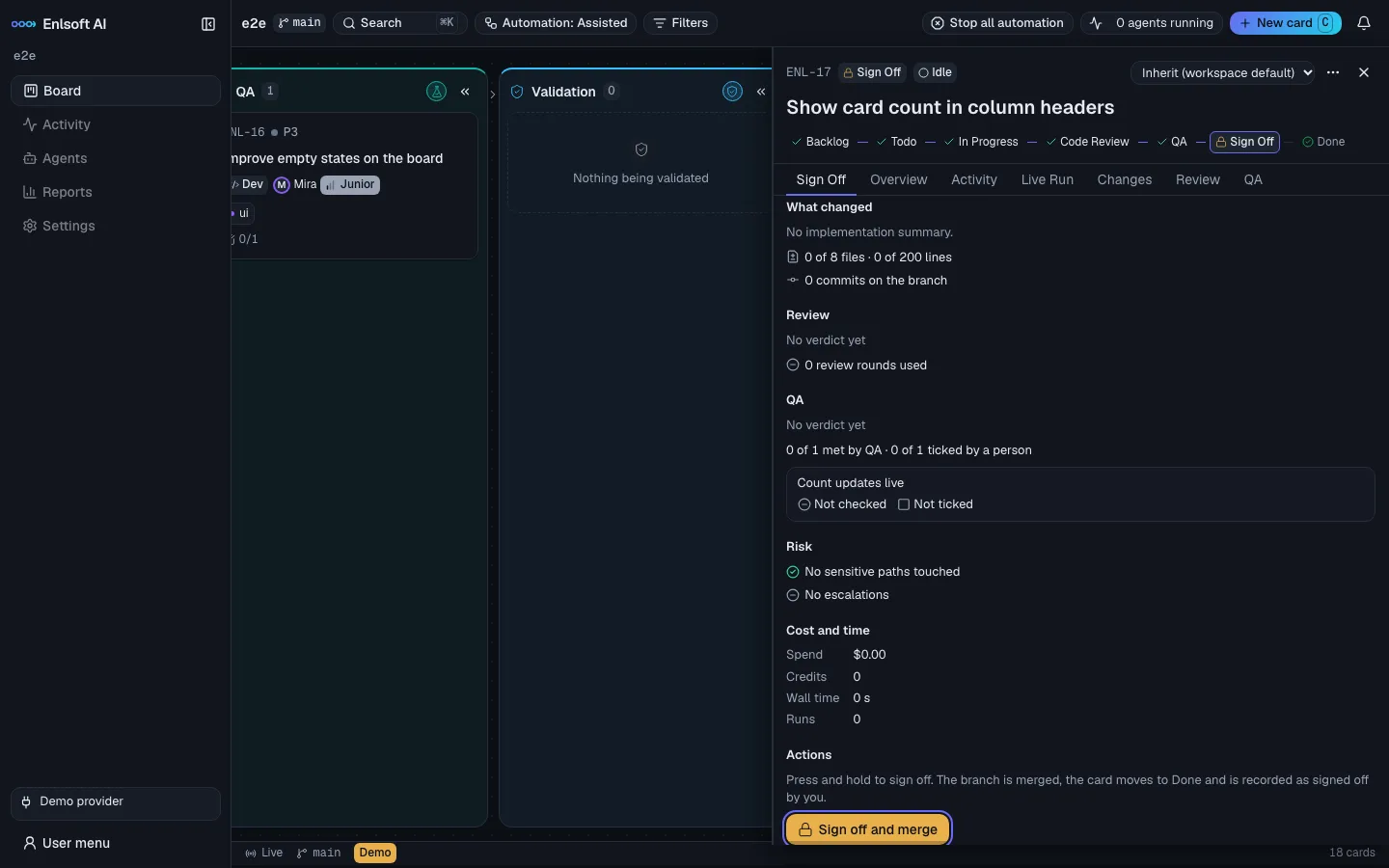
The Sign Off panel lists what changed, review and QA results, risk and cost. Press and hold to merge the branch into your base branch, or merge the pull request in PR mode. Not happy? Send it back with a note, ask for another review, or undo.

  • Only a person in a browser session can move a card to Done
  • Fast-forward merge locally, or open and merge a GitHub PR
  • Every move is audited
Sign Off panel showing what changed, review and QA status, acceptance criteria, risk checks, cost and time, and a 'Sign off and merge' press-and-hold button.
Features

Everything an AI-assisted delivery team needs

A full project board, an autopilot with limits, and the visibility to trust what your agents did.

Auto mode: an autopilot with brakes

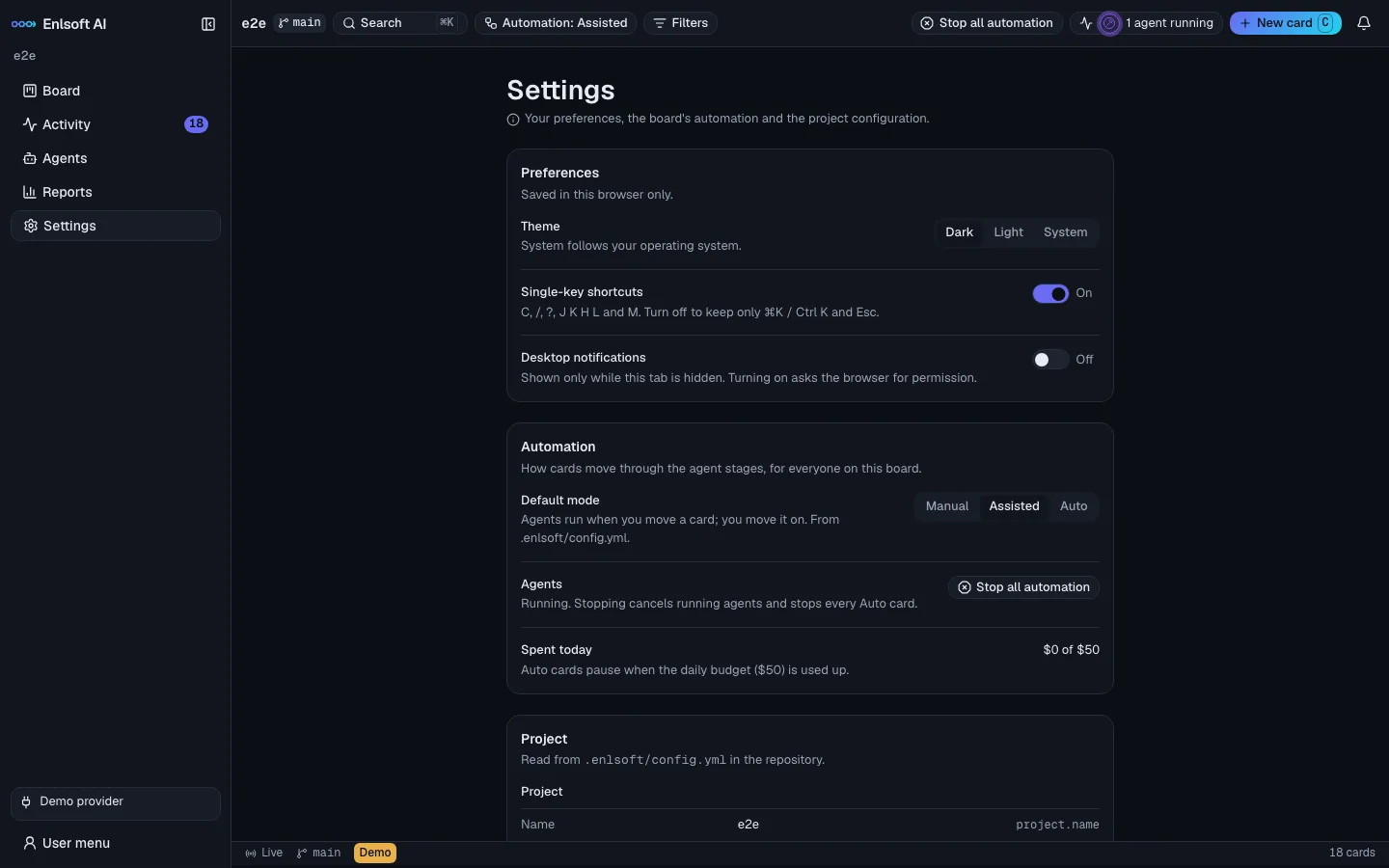
Auto cards run implementation, review and QA one after another until they reach Sign Off, where they always wait for you. Limits on review rounds, QA rounds, total loops and consecutive failures stop a card that is going in circles. Quota resets are waited out and retried automatically.

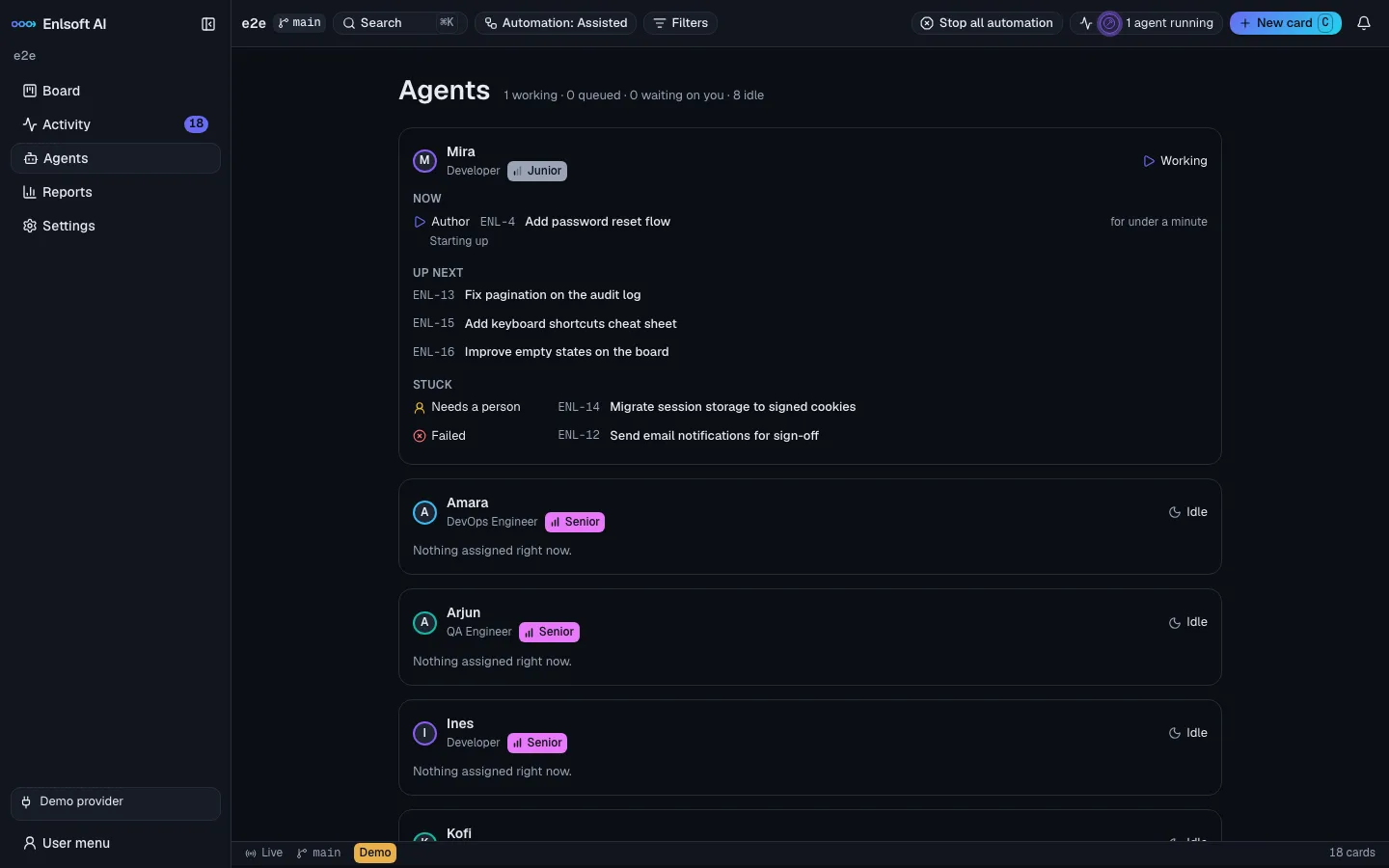
Agents page: Mira, a Junior Developer, is working on 'Add password reset flow', with cards up next and stuck cards that need a person.

Keyboard first

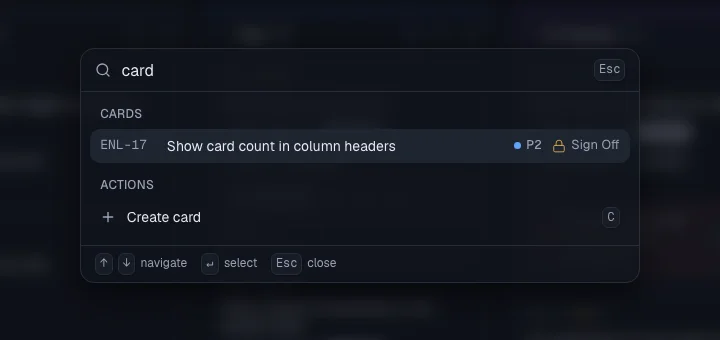
Search cards and run any action from the command palette. Move cards without touching the mouse.

⌘KCJKHLMSpace?
Command palette searching for 'card', showing a matching card in Sign Off and the Create card action.

Agents page

See each AI team member's current run, its queue, what it picks up next and which cards are stuck and why.

Activity catch-up

Come back to one list: what needs you now, and every card that changed since your last visit, summarised in a line.

Reports

Spend per day and per stage, agent runs, cards reaching Sign Off, cost per card, tokens, and per-member stats like first-pass approval and cycle time.

Notifications that matter

A card ready for Sign Off, waiting for a person, failed, over budget or paused for quota. They persist across restarts, and desktop notifications are one switch away.

A CLI that fits your repo

enlsoft init reads your repository and writes a config that fits it. status, card add, doctor and automation halt work from any terminal.

Stop all, instantly

One kill switch cancels every running agent and halts automation. Only a person in the browser can resume it.

Spend limits

Set a limit per card and per day. Auto cards pause when they reach it, and the board shows today's spend at a glance.

Accessible by design

Status is always icon plus text. Checked with axe in both themes, fully usable at 200% zoom and by keyboard alone.

Your AI team

Junior, Mid and Senior, with limits that are enforced

Each AI team member has a role and a tier. A tier is a set of hard limits: how big a change may be, how much context and time a run gets, which paths it may touch and when it must hand the work up.

Developer QA Engineer DevOps Engineer
Junior

Small, well-defined tasks

Fast and efficient. Stays away from sensitive code and hands anything bigger to a Mid.

Model class
efficient
Change size
≤ 200 lines · 8 files
Context
60k tokens
Sensitive paths
denied
Mid

Everyday feature work

Balanced model, bigger changes. Sensitive paths go through the risk review before Sign Off.

Model class
balanced
Change size
≤ 600 lines · 25 files
Context
150k tokens
Sensitive paths
risk review
Senior

Complex, cross-cutting changes

The strongest model and the largest limits. The hardest work escalates to a person.

Model class
strongest
Change size
≤ 1,500 lines · 60 files
Context
400k tokens
Sensitive paths
review + confirm

Over a limit, a card never advances on its own: it escalates, pauses or goes to a human. And no agent ever touches production.

Safety and control

Built so you can let agents run

Autonomy is only useful if you can trust it. Every layer is designed to fail closed.

Policy gate on every tool call

Each command and file access is checked against policy before it runs. Read-only stages stay read-only. If the check cannot be made, the call is refused.

OS-level sandbox

Shell commands run under Seatbelt on macOS or bubblewrap on Linux. Agents can write only to their own worktree and a temp folder.

Network allowlist

The network is closed except for the hosts you list. Dependency installs get their registry hosts only during a separate, sandboxed setup step.

Credentials stay out of reach

~/.ssh, cloud credentials, keychains and Enlsoft's own data are denied to agents. Logs redact secrets.

Isolated branch per card

Every card works in its own git worktree with hardened git calls: no hooks, no fsmonitor, no external diff tools. Your base branch is never touched until Done.

Human-only Done

Agents and CLI tokens cannot move a card to Done. A person in the browser presses and holds. Every move lands in the audit log.

Project starter

From an idea to a live site in one guided flow

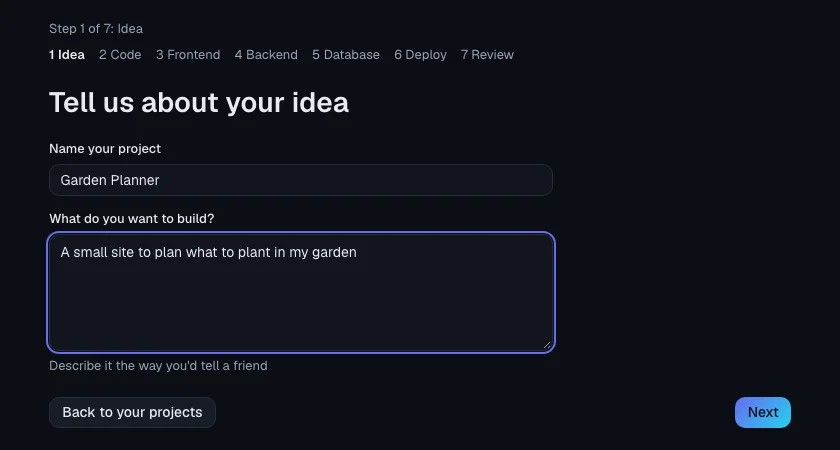
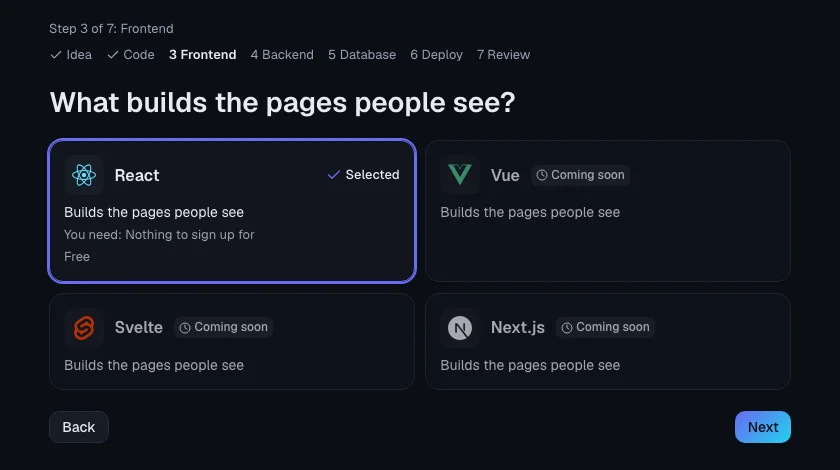
No project yet? Describe it in plain words, choose your stack, and Enlsoft AI creates the repository, the database and the deployment, then opens the board.

GitHubReactNode.jsSupabaseVercel
Project wizard step 1: name your project 'Garden Planner' and describe what you want to build.
1. Tell it your ideaName the project and describe it the way you would tell a friend.
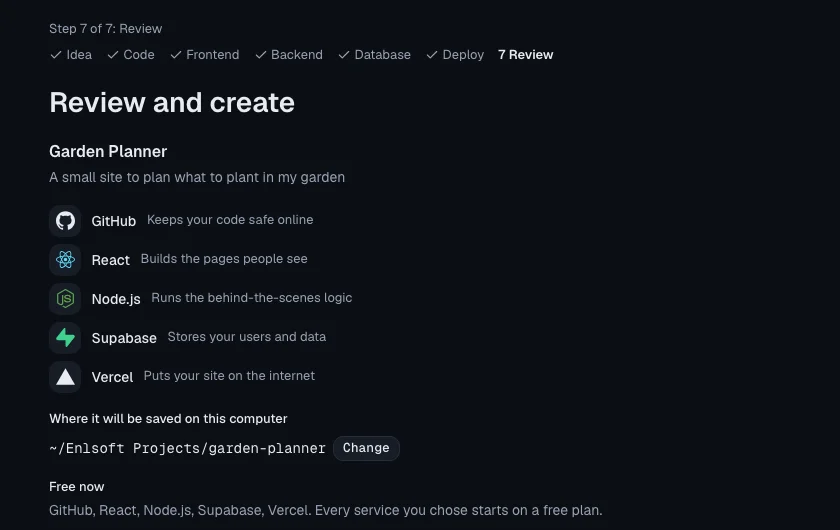
Wizard review page listing GitHub, React, Node.js, Supabase and Vercel, and where the project will be saved.
2. Pick and review the stackConnect your accounts once. Tokens are kept in your system keychain, never in the project.
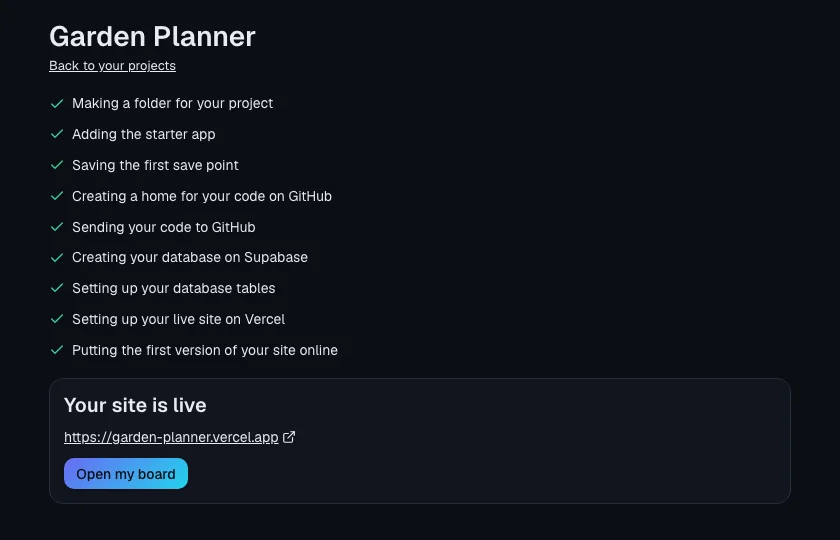
Creation checklist completed: folder, starter app, GitHub repository, Supabase database and tables, Vercel deployment, ending with 'Your site is live' and an Open my board button.
3. Watch it go liveA checklist builds everything. If a step fails, Try again continues exactly where it stopped.
Trello sync

Your client stays in Trello. You work on the Enlsoft board.

Connect a client's Trello board to a project. Their cards come in as work, and they follow the progress in Trello without seeing anything internal.

Connect once

From Settings, from Home → Connected accounts, or with enlsoft trello connect. The token goes to your system keychain and nowhere else. Then pick a board for each project.

Import cards into Backlog

Choose up to 100 cards from the Backlog menu or the command palette. Checklists become acceptance criteria. Or set a watched list and new cards are imported on their own.

Progress the client can see

An Enlsoft: label follows the column, and a short comment in English or Polish marks work started, ready for the final check, done (with the pull request) and live. Cards can move to the Trello list you map to each column.

Feedback flows back

Client comments appear on the card as “name via Trello”. Title and description edits update the card, or arrive as a comment while work is under way. Agents only read them when you send the card back with them in the reason.

Your board stays in charge

Trello never moves an Enlsoft card. Agent output, review verdicts and costs are never sent to Trello. If the token stops working or writes keep failing, the top bar tells you: Reconnect Trello or Trello out of sync.

Stop syncing at any time from Settings. Linked cards keep their link, so you can pick the board again and carry on.

Screenshots

Click any screen to see it full size.

Get started

Point it at your repository

Three commands. Enlsoft AI reads your project, checks your setup and opens the board in your browser.

# Read the repository and write a config that fits it
$ enlsoft init --repo ./my-app

# Check Claude Code and make one tiny test call
$ enlsoft provider connect --repo ./my-app

# Start the board and open the sign-in link
$ enlsoft serve --repo ./my-app

# Or start a brand-new project from the wizard
$ enlsoft start
Early access

Contact me to get access

Enlsoft AI is available on request while it is in early access. Send a short note about your team and the repository you would like to use it on, or book a 15-minute call, and I will send you access and help you set it up.

FAQ

Questions, answered

Does my code leave my machine?

Enlsoft AI is local-first. The board, its database and every card's git worktree live on your computer. The only outside call is the AI model itself, made through your own Claude Code login.

Can an AI agent merge to my main branch?

No. Only a person signed in through the browser can move a card to Done, with a press-and-hold confirmation. Done is what merges the card's branch or pull request. Agents and CLI tokens are refused.

Which AI models does it use?

Agents run Claude through your installed Claude Code login, or through the Claude Agent SDK. Each AI team member maps to a model class (efficient, balanced or strongest) that you configure.

Does it work with an existing repository?

Yes. enlsoft init reads your repository (package.json, Cargo.toml, go.mod, pyproject.toml and your git branches) and writes a config that fits it: lint, typecheck, test and build commands, base branch and dependency setup.

Which operating systems are supported?

macOS and Linux. Agents' shell commands run inside an OS sandbox: Seatbelt, built into macOS, or bubblewrap on Linux.

What happens when an agent gets stuck?

Limits on review rounds, QA rounds, total loops and consecutive failures stop the card and hand it to a person. Work that is too large or too risky for a team member's tier escalates to a more senior one or to a human.

Can I keep AI spend under control?

Yes. Set a spend limit per card and per day; Auto cards pause when they reach it. Stop all cancels every running agent at once, and only a person in the browser can resume.

Can my client keep using Trello?

Yes. Connect their Trello board to the project and import cards into Backlog, or let a watched list import new ones. The client sees an Enlsoft: label, a few short milestone comments and, if you choose, the card moving between their lists. Their comments and edits come back to the card. Trello never moves an Enlsoft card, and nothing internal (agent output, verdicts, costs) is sent to Trello.

Your board. Your repo. An AI team that ships.

Let agents do the implementation, review and testing loop. Keep the final say.